


My Resto Project
 03-05-2008, 08:20 AM
#1
Registered
Thread Starter

 My Resto Project
I'm well into a complete resto of an 86 Chris Cat race boat .
The hull is very sound structurally . I am going to replace some of the existing reinforcements , stringers and possilbly the transom with foam/carbon/epoxy .
The boat was originally foam cored and one of the last ones built .
I'm also considering a four place reinforced cockpit .
Yesterday I picked up motors from the P1 Raven race team ( good guys ) I intend to refresh and use .
I'm trying to figure out how to post photos of the progress . Any help out there ?
The hull is very sound structurally . I am going to replace some of the existing reinforcements , stringers and possilbly the transom with foam/carbon/epoxy .
The boat was originally foam cored and one of the last ones built .
I'm also considering a four place reinforced cockpit .
Yesterday I picked up motors from the P1 Raven race team ( good guys ) I intend to refresh and use .
I'm trying to figure out how to post photos of the progress . Any help out there ?
 03-05-2008, 08:39 AM
#2
Registered User
On posting photos-
You have one of two options. First, when you are starting or replying to a thread, simply select "Go Advanced" It will open another window that will give you attachment options. Keep in mind you'll probably have to resize digital camera pics- both because of bit-size and physical size. The site will display JPEGS, not bitmaps (BMP).
Your other option is to 3rd party host your pics. I use a site called Photobucket. http://s38.photobucket.com/ You can host just about any file and then it displays automatically in your thread via "tagging". After you upload your file, it gives you options on display. All you do is copy the "embed" link and paste it into your post
Example-
The code I copied is-
IMG]http://i38.photobucket.com/albums/e123/CTS1489/AjacHawkMercruiserAd.jpg[/IMG]
I deleted the first bracket to show the code. If I add it in, this automatically happens-
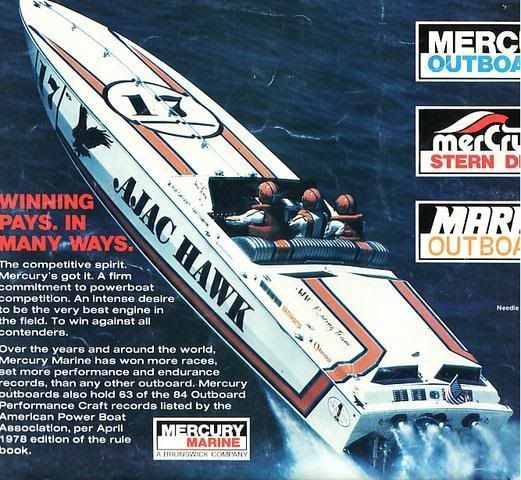
You have one of two options. First, when you are starting or replying to a thread, simply select "Go Advanced" It will open another window that will give you attachment options. Keep in mind you'll probably have to resize digital camera pics- both because of bit-size and physical size. The site will display JPEGS, not bitmaps (BMP).
Your other option is to 3rd party host your pics. I use a site called Photobucket. http://s38.photobucket.com/ You can host just about any file and then it displays automatically in your thread via "tagging". After you upload your file, it gives you options on display. All you do is copy the "embed" link and paste it into your post
Example-
The code I copied is-
IMG]http://i38.photobucket.com/albums/e123/CTS1489/AjacHawkMercruiserAd.jpg[/IMG]
I deleted the first bracket to show the code. If I add it in, this automatically happens-
Last edited by Chris Sunkin; 03-05-2008 at 08:42 AM.
03-05-2008, 08:40 AM
#3
 Charter Member
you should have a button labled "Manage Attachments" when typing out responces.....not the quick reply box thats on this page at the bottom but if you hit "Go Advanced" then you will see it towards the bottom.....then you can attach images.......if that doesnt work for ya then you can email me the pics and i'd be happy to post them up for ya "bigblockwally @ hotmail.com"
__________________
-Wally
Money can't buy happiness, but it can buy horsepower. And I've never seen a sad person hauling a$$!
-Wally
Money can't buy happiness, but it can buy horsepower. And I've never seen a sad person hauling a$$!
03-05-2008, 04:28 PM
#4
Registered

Join Date: Nov 2006
Location: Huntington Beach, CA
Posts: 1,955
Likes: 0
Received 0 Likes
on
0 Posts
Jim, just tried you at your office... Try you again later (dang west coast guys!  ).
).
Is Raven the old Ocean Spray Fountain? Or similar looking?
Congrats on the new power. Can't wait to see photos!
).Is Raven the old Ocean Spray Fountain? Or similar looking?
Congrats on the new power. Can't wait to see photos!
03-05-2008, 10:28 PM
#5
Registered
Thread Starter
Thanks men , I'll attempt to post photos tomorrow . You make it seem easy .
Dude I don't know what if anything Raven was , they could be the first owners . My brother picked up the motors and said they had a great setup and were straight shooters . I dealt with Allen , he was accomodating and efficient .
He told me the Fountain went 142 and with his new power would be in the 150s . I wish them well .
Dude I don't know what if anything Raven was , they could be the first owners . My brother picked up the motors and said they had a great setup and were straight shooters . I dealt with Allen , he was accomodating and efficient .
He told me the Fountain went 142 and with his new power would be in the 150s . I wish them well .
 Platinum Member
 03-06-2008, 02:53 PM
#10
Gold Member
 Gold Member
Join Date: Nov 2003
Location: Colonial Beach, VA
Posts: 580
Likes: 0
Received 0 Likes
on
0 Posts

