

New to offshore

 03-05-2013 | 11:02 PM
#66
Registered
Joined: Jan 2011
Posts: 956
Likes: 2
From: NE Indiana

Well, that is one way to get your post count up! 
OK, when you go to photobucket and you are looking at your album page with all the thumbnail pictures on it, place your cursor over the picture you want to post. A border aroung the image should pop out and under the image appears 5 different options, one of which is labeled
IMG Code
Move your cursor down untill it is over the box to the right of the IMG Code text and left click. The text in the box should very briefly change to "copied" and then the original text will come back.
No go to your thread and just click in the text box for a new post. right click and select paste.
This should appear except with a [ in front of the IMG
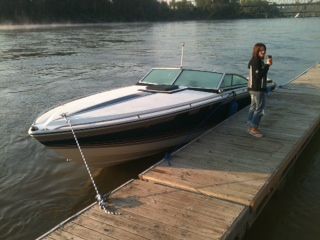
IMG]http://i63.photobucket.com/albums/h158/befunovo/Formula272atdockside.jpg[/IMG]
When I add the [ to it, it changes to

Hope that helps.
Brian
OK, when you go to photobucket and you are looking at your album page with all the thumbnail pictures on it, place your cursor over the picture you want to post. A border aroung the image should pop out and under the image appears 5 different options, one of which is labeled
IMG Code
Move your cursor down untill it is over the box to the right of the IMG Code text and left click. The text in the box should very briefly change to "copied" and then the original text will come back.
No go to your thread and just click in the text box for a new post. right click and select paste.
This should appear except with a [ in front of the IMG
IMG]http://i63.photobucket.com/albums/h158/befunovo/Formula272atdockside.jpg[/IMG]
When I add the [ to it, it changes to
Hope that helps.
Brian