


Smartcraft help
 03-21-2019 | 07:59 AM
#1

Thread Starter
Platinum Member


Joined: Oct 2003
Posts: 788
Likes: 0
From: Townsville Australia
 Smartcraft help
Twin 525efi's.Using 1 403 screen.
I cannot get it to display both motors.I only get 1.When wired up as a single it shows as the centre motor.
Have checked and double checked settings and connections.
Is there something i have to disconnect.I have also not entered into the screen which motor is port and starboard.
Any help appreciated.
I cannot get it to display both motors.I only get 1.When wired up as a single it shows as the centre motor.
Have checked and double checked settings and connections.
Is there something i have to disconnect.I have also not entered into the screen which motor is port and starboard.
Any help appreciated.
 03-21-2019 | 08:36 AM
#2
Registered

Joined: Sep 2013
Posts: 2,320
Likes: 1,040
From: Wisconsin
What is a 403? Older smartcraft or vessel view? On the new Simrads/ vessel views there should be a “setup wizard” under the mercury setup tabs that will walk you through engines, fuel tanks etc. Do you have a manual?

 03-22-2019 | 07:41 AM
#7

VIP Member

Joined: Jul 2011
Posts: 1,992
Likes: 48
From: Cleveland Ohio
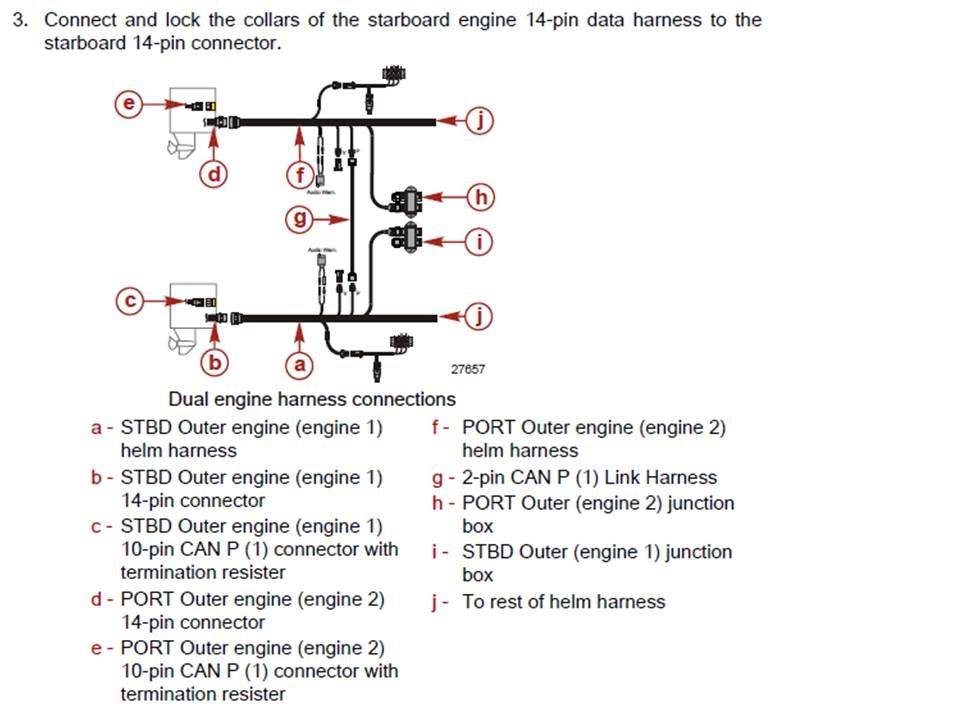
On my 2 engine set-up I plugged into the 1 J-Box and both engines displayed. Its hard to tell by the photo if the boxes are linked in some way. I did have an older style Raceview that was replaced, probably why mine was plug and play. I bet it has something to do with you running 2 J-boxes, system not able to read both at the same time because both are not "on line" at the same time. . 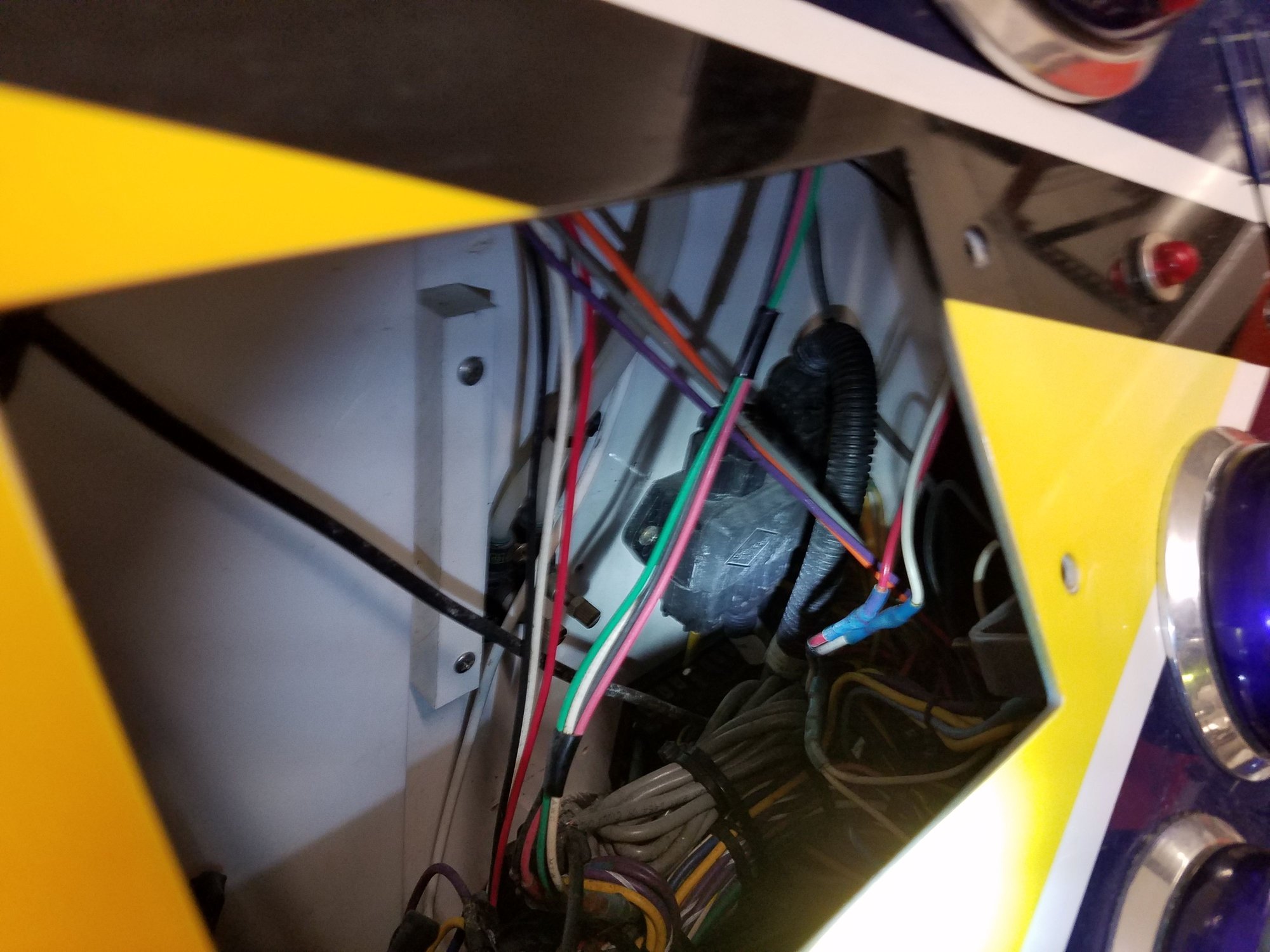
1 J-Box in lower right corner
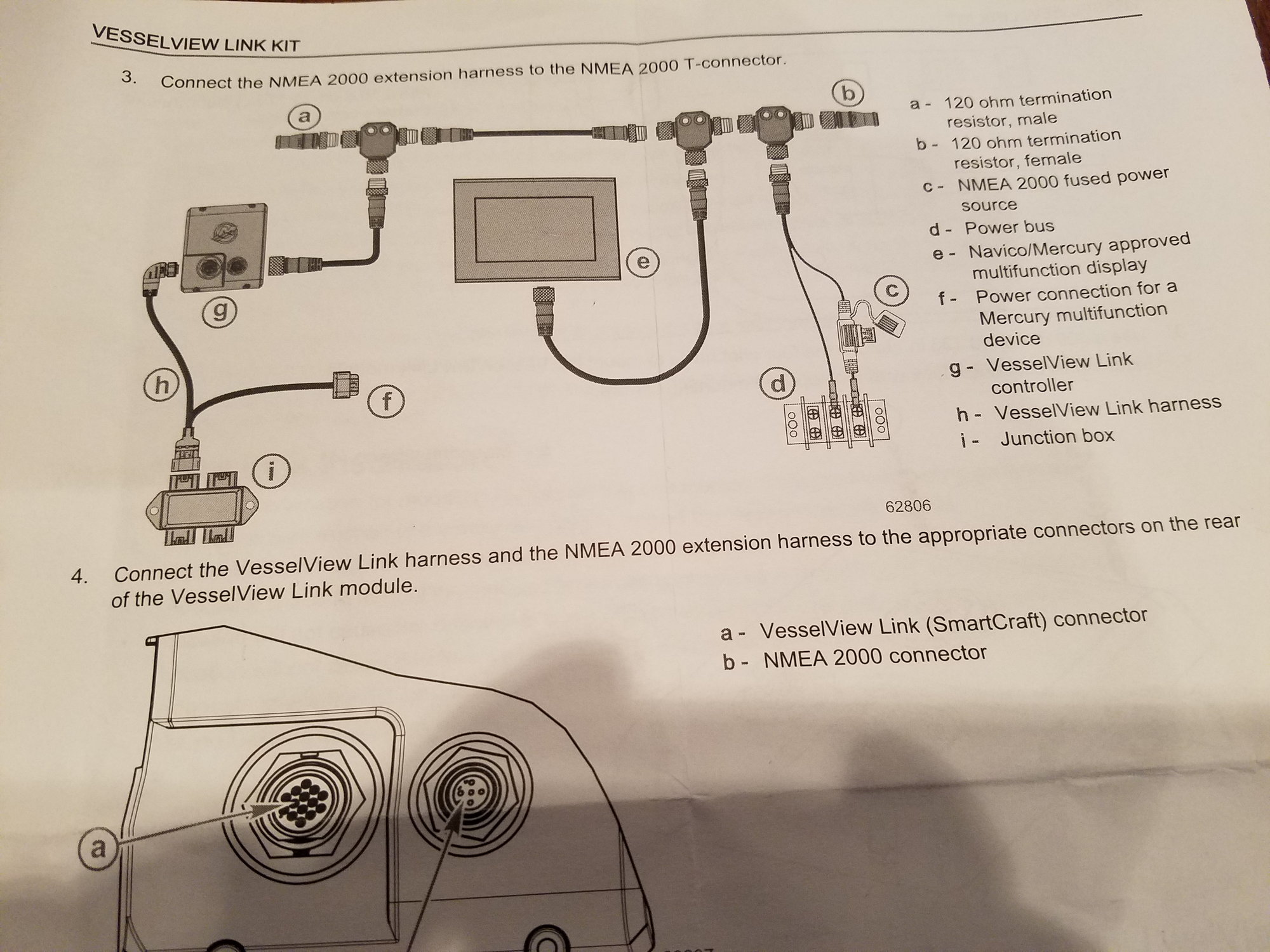
1 J-Box in lower right corner
Last edited by VoodooRob; 03-22-2019 at 07:51 AM.
03-22-2019 | 08:24 AM
#10
Registered
Joined: Feb 2006
Posts: 1,826
Likes: 85
From: Tallahassee, FL
When I looked into doing this one of the steps was to have a dealer program the engines for port and starboard. They all come from the factory with the same setting and smartcraft can't connect multiple engines without being properly set first.


