


Gaffrig GPS Speedo Problem


 04-22-2009 | 07:36 PM
#12
Registered
Joined: Jan 2001
Posts: 710
Likes: 1
From: Cincinnati, OH

In some earlier threads on this subject, some tried to replace the battery themselves and ruined their pucks, which cost $200+ (so I've been told). I probably could have changed my own, but chose to send it back, just for my own peace of mind! Glad to hear it was only $4 
06-15-2009 | 07:27 AM
#13
Registered

Joined: Jul 2008
Posts: 248
Likes: 1
From: Crystal Lake, IL
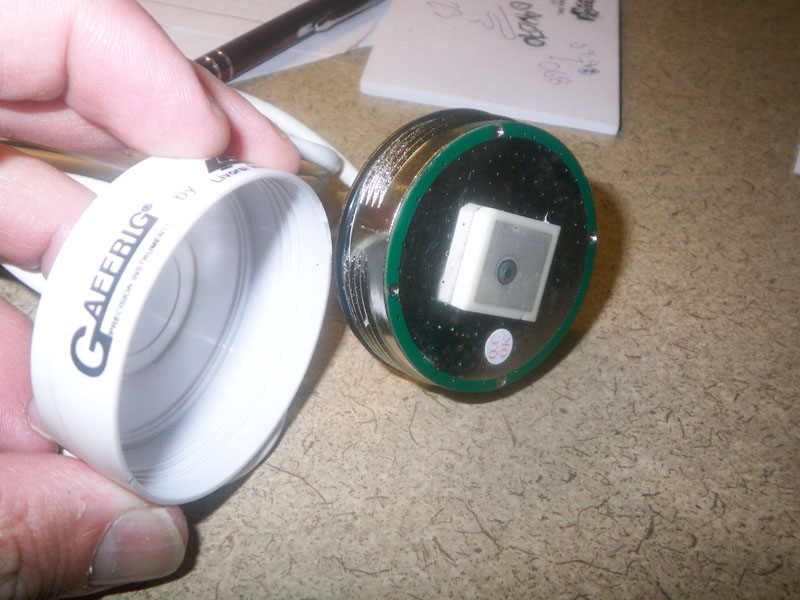
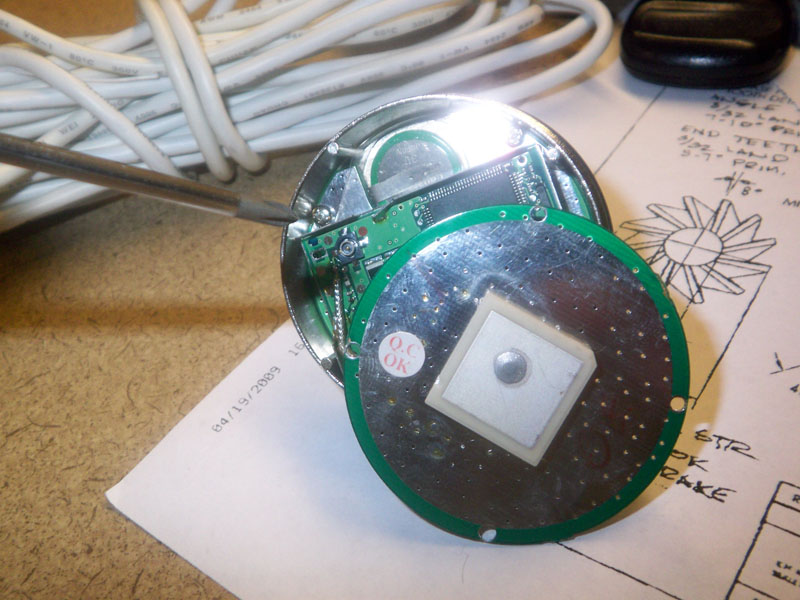
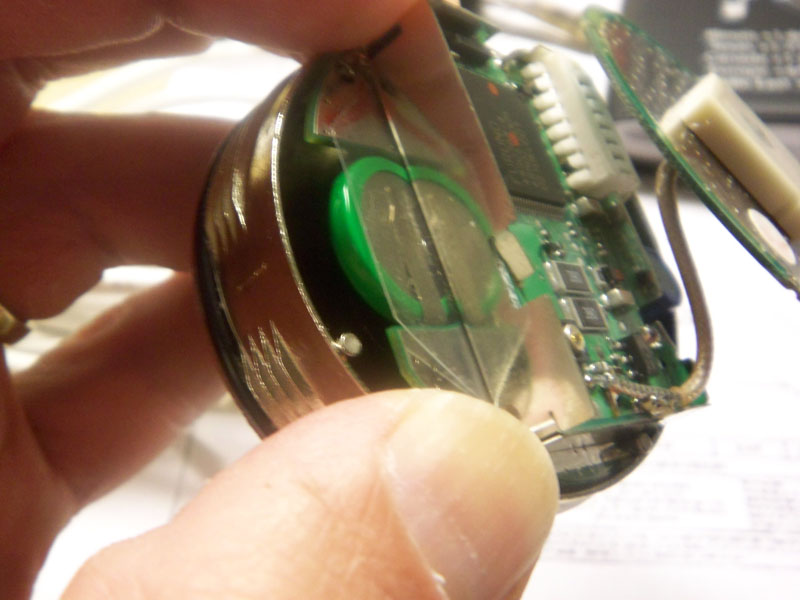
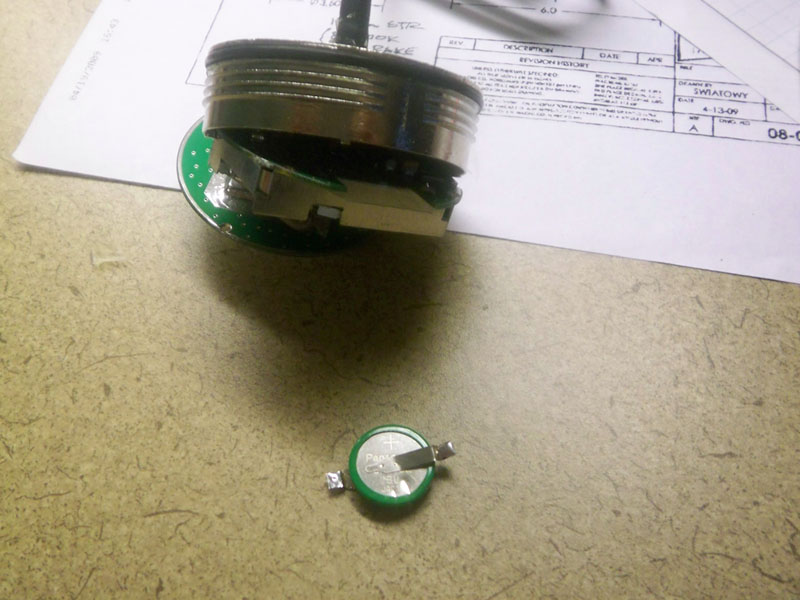
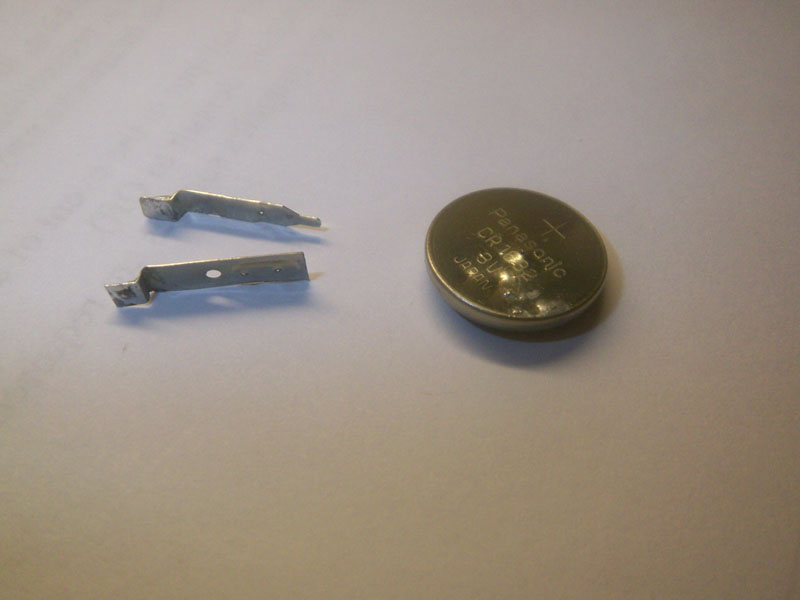
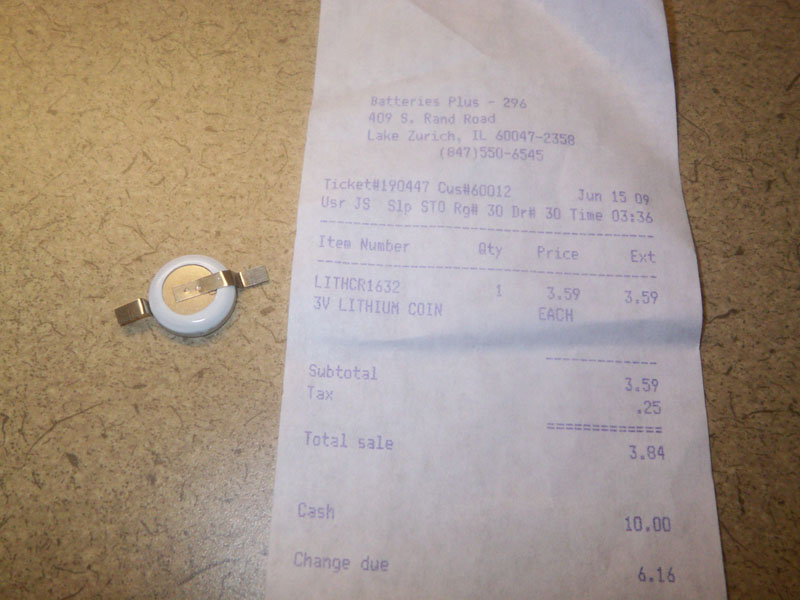
Alright. Took it upon myself to try and fix the battery in the gps receiver/antennae. Unscrewed the white cap which has a small o-ring and teflon tape and took the unit apart by removing three small internal screws. And whaddyaknow, voila, there is a small panasonic battery in the bottom of the unit. Its held in by a couple of tack welds which were easily cut using an exacto knife. Went to Batteries Plus and bought a battery and they tack welded it back in for me, all for the grand total of $3.89. Thats right folks, three dollars and eighty-nine cents. Put the unit back together and it works like a charm. Just a bit of fyi for the do-it yourselfers!!

 06-18-2009 | 08:52 AM
#16
Registered
Joined: Jul 2008
Posts: 248
Likes: 1
From: Crystal Lake, IL
Some have emailed me about the torque required to remove (or in my case install) the white plastic cover. Since mine was siliconed to the top of the dash, I was able to unscrew the cover while still in the boat. However overcoming the pipe tape and o-ring resistance during install was a bit tricking since the unit was no longer secured to the dash. For those that have the antenna already out or when reinstalling, the trick i used was a pair of needle nose pliers. In the base of the unit are three screw holes used to secure the MB from the inside. The remaining thread provides just enough depth to get the tips of the pliers to resist the torque needed to get the cap on or off. Hope this helps.
06-18-2009 | 11:09 AM
#17

Gold Member


Joined: Oct 2000
Posts: 5,664
Likes: 140
From: Hollywood, MD, USA
07-09-2009 | 02:16 PM
#18
Registered
Joined: Dec 2008
Posts: 155
Likes: 0
From: 1000 Islands
Some have emailed me about the torque required to remove (or in my case install) the white plastic cover. Since mine was siliconed to the top of the dash, I was able to unscrew the cover while still in the boat. However overcoming the pipe tape and o-ring resistance during install was a bit tricking since the unit was no longer secured to the dash. For those that have the antenna already out or when reinstalling, the trick i used was a pair of needle nose pliers. In the base of the unit are three screw holes used to secure the MB from the inside. The remaining thread provides just enough depth to get the tips of the pliers to resist the torque needed to get the cap on or off. Hope this helps.
06-25-2011 | 09:31 PM
#19
Registered
Joined: Jul 2006
Posts: 211
Likes: 0
From: montreal,quebec
i replaced my battery. but the problem persists. mine stays stuck below the 2 ...or at 17 mph..... when i pressthe recall erase toggle, it drops to zero, then when i let go the toggle, it goes back to the 17 mph mark and wont budge ..even when at 50mph, stuck at 17... i keepplaying with the erase and recall togglle but no matter what i do, it always goes back to 17. any ideas

